Get the Full dq999 Experience on Your Phone
The dq999 App brings slots, live casino, cricket betting and crash games to your Android device. It runs faster than any browser tab, keeps you logged in, and supports bKash and Nagad deposits directly inside the app.
Version 3.9.14 · 45 MB · Free · Android 8.0+
Official APK file — scanned and verified. 18+ only. Play responsibly.
Scan to download
dq999 App vs Browsing on Mobile
Not sure whether to use the app or just open the site in Chrome? Here is a straight comparison so you can decide.
| Feature | dq999 App | Mobile Browser |
|---|---|---|
| Loading speed | Faster — cached assets load instantly | Reloads on every visit; depends on network |
| Stay logged in | Session stays active between opens | May log out when browser clears cookies |
| Push notifications | Yes — bonus alerts, match reminders | Not available |
| bKash / Nagad deposit | Direct in-app redirect to mobile wallet | Works but requires extra browser steps |
| Live casino streaming | Optimised for low-bandwidth streaming | Can lag on weaker connections |
| Screen usage | Full screen, no browser chrome eating space | Address bar and tabs reduce game area |
| Crash game stability | No tab-switching disconnections | Background tab may pause the round |
| APK update needed | New version released periodically (free) | Always latest — no install required |
| iOS support | Android only (APK) | Works on iPhone via Safari |
| File size required | 45 MB storage | No storage needed |
Bottom line: If you play on Android regularly, the app is the better experience. If you're on iOS or prefer not to install anything, the mobile site works fine — log in here directly.
Six Reasons Players Keep the dq999 App Installed
Every feature below works on Android 8.0 and above, including budget devices with 2 GB RAM.
Slots on Demand
Access all slots from Ezugi, CQ9, FA Chai and Evolution without loading a desktop site. Titles like Dragon Fortune and Diamond Tycoon open in under three seconds on a steady 4G connection. Minimum bet starts at ৳1.
Live Casino Table View
Watch real dealers via Sexy Gaming and Evolution tables, streamed directly in the app. The video player is sized for a portrait phone screen, so you see the full table without pinching. Compatible with Grameenphone and Robi data plans.
Crash & Instant Games
Crash rounds stay connected even when you switch to another app briefly and return. The multiplier graph renders smoothly on mid-range Android phones. Cash out before the crash — the button response time in the app is noticeably quicker than on browser.
Cricket & Football Betting
Place pre-match and in-play bets on BPL, IPL, T20, ODI and international football. Odds update in the app without a page refresh. The bet slip remembers your selections when you switch between matches — no need to re-enter stakes.
bKash & Nagad Deposits
Tap Deposit inside the app and choose bKash, Nagad, Rocket or Upay. The app redirects to your mobile wallet app automatically. Deposits reach your dq999 account in about five minutes. Minimum deposit is ৳150 — no bank visit needed.
Reload Bonus Alerts
Turn on notifications and the app pings you when a reload bonus or cashback is credited to your account. You will not miss a time-limited offer just because you were not actively browsing. Notifications can be switched off any time in Android settings.
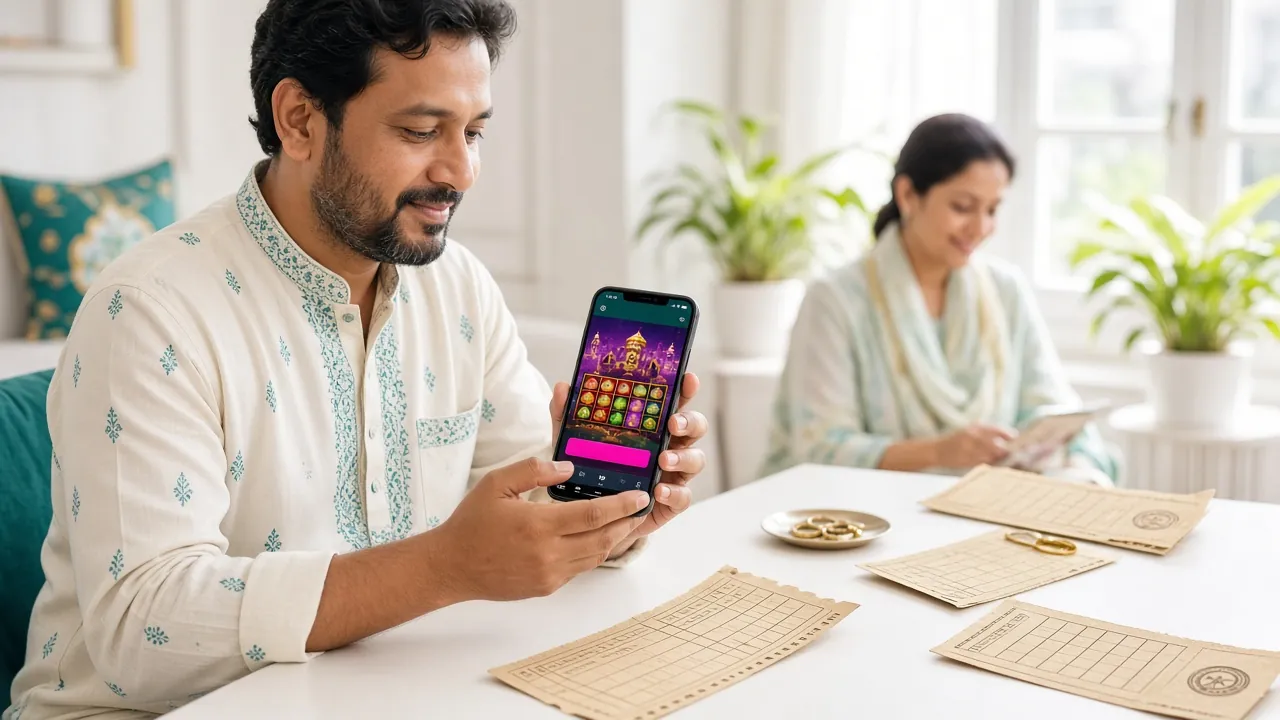
System Requirements & Version Details
Check these before downloading. The app will not install on Android versions below 8.0 — update your phone OS if needed.
| Field | Detail |
|---|---|
| File name | dq999.apk |
| Version | 3.9.14 |
| File size | 45 MB |
| Minimum Android | 8.0 (Oreo) and above |
| Last updated | 3 November 2026 |
| Price | Free |
| Languages | English, Bangla |
| iOS version | Not available — use Safari browser |
| Storage needed | ~90 MB after install (cached data) |
| Internet required | Yes — Wi-Fi or mobile data (4G recommended) |
Download dq999 APK
This is the official APK distributed directly from dq999. Download to your phone, then follow the install steps below. No Play Store account needed.
Download dq999.apkAlready have an account? Log in here. New player? Register first so your account is ready when the app opens.
18+ only · Play responsibly
Security & App Permissions Explained
Android will show a permissions list when you install. Here is what each request is for and why dq999 needs it.
SSL Encrypted Connection
All traffic between the app and dq999 servers runs over TLS 1.3 encryption. Your login details, deposit amounts and personal data are never sent as plain text. You can verify this by checking the padlock in any in-app browser view that opens for payments.
Camera Permission (KYC Only)
The app requests camera access only when you upload your National ID Card or passport for KYC verification. It is not used during normal gameplay. You can deny camera permission and upload KYC documents via the web version instead — both methods are accepted.
Notification Permission
Android 13 and above ask permission before sending any notification. dq999 uses notifications only for deposit confirmations, withdrawal status updates, and bonus credit alerts. It does not send marketing messages more than once a day. You can revoke this in Android settings at any time.
Official APK — No Modifications
Only download the APK from the link on this page (dq999.ws/dq999-app/). Third-party APK mirror sites may distribute modified files with malware. The official file is 45 MB exactly. If the file you downloaded is a different size, delete it and download again from this page.
Install dq999 on Android — Step by Step
Takes about two minutes. Android blocks APK installs by default to protect users — step 2 explains how to allow it just for this file.
-
1
Allow Unknown Sources in Settings
Go to Settings → Apps → Special App Access → Install Unknown Apps. Find your browser (Chrome, Samsung Internet, etc.) and toggle on "Allow from this source." This tells Android it is safe to install APK files you download through that browser. You can turn this off again after installing dq999.
-
2
Download the APK File
Tap the Download APK button on this page. Your browser saves dq999.apk (45 MB) to your Downloads folder. Wait for the download bar to reach 100% before proceeding — a partial download will fail to install. On slow mobile data, this may take 30–60 seconds.
-
3
Open and Install the APK
Tap the completed download notification, or open your Files app and navigate to Downloads. Tap dq999.apk, then tap Install on the confirmation screen. Android may show a "Play Protect" scan — this is normal and takes a few seconds. The app icon appears on your home screen once install completes.
-
4
Log In or Register Your Account
Open the dq999 app. If you already have an account, tap Log In and enter your username and password. First time here? Tap Register — the sign-up form takes about two minutes. You need a working phone number for OTP verification. See the full registration guide if you get stuck.
-
5
Make Your First Deposit & Play
Tap Deposit in the bottom menu. Choose bKash, Nagad, Rocket, Upay or Bank Transfer. Minimum is ৳150. Enter the amount, follow the wallet redirect, confirm the payment on your mobile banking app. Your dq999 balance updates within five minutes. First deposits qualify for the welcome bonus — check the Bonus & VIP page for terms.
Using dq999 on iOS (iPhone / iPad)
There is no dq999 App for iOS. The best alternative is adding the mobile site to your home screen — it behaves like a native app.
-
1
Open Safari
Go to dq999.ws in Safari (not Chrome — the Add to Home Screen option is only in Safari on iOS).
-
2
Tap the Share Icon
Tap the box-with-arrow icon at the bottom of the screen. Scroll down in the share sheet until you see Add to Home Screen.
-
3
Name & Confirm
Name it "dq999" and tap Add. The icon appears on your home screen. Opening it launches the site in full-screen mode without the Safari toolbar.
All features — deposits, withdrawals, live casino, sports betting — work in the iOS Safari version without any install.
Games Available Inside the dq999 App
The app gives you access to the full dq999 Casino lobby. These are some of the most-played titles right now.


Over 1,900 games are available in the full lobby. Browse the dq999 Casino lobby →
Common Install Problems & How to Fix Them
If the app will not install or open, work through this table before contacting support.
| Problem | Likely Cause | Fix |
|---|---|---|
| "Install blocked" message | Android's "Unknown Sources" setting is off for the browser you used to download | Go to Settings → Apps → Special App Access → Install Unknown Apps. Find your browser and enable "Allow from this source." Then try installing again. |
| App crashes on launch | Corrupted or incomplete APK download (file size does not match 45 MB) | Delete the APK from your Downloads folder. Re-download from this page on a stable Wi-Fi connection. Do not open the file until the download shows 100%. |
| "App not installed" error | An older version of the dq999 app is already installed; signing certificates conflict | Uninstall any existing dq999 app first (Settings → Apps → dq999 → Uninstall). Then install the fresh APK. Your account data is stored on the server — nothing is lost. |
| White screen or loading stuck | Android version below 8.0, or WebView component out of date | Check your Android version (Settings → About Phone). If it is below 8.0, update your OS or use the mobile browser version instead. If 8.0+, go to Play Store and update "Android System WebView." |
| Login works but no games load | Weak mobile data, or VPN interfering with game server connection | Switch from mobile data to Wi-Fi, or vice versa. If you are using a VPN, turn it off — dq999 game servers may block VPN traffic. If the issue continues, contact 24/7 live chat from inside the app. |
Still stuck? Our 24/7 live chat team can walk you through the install. Tap the chat icon inside the app or email [email protected].
Questions About the dq999 App
Answers to what players ask most often before and after downloading the APK.
Is the dq999 APK safe to install?
Yes, as long as you download it from this page (dq999.ws/dq999-app/). The official APK is 45 MB and does not request any permissions unrelated to running a casino app. It does not access your contacts, SMS or financial apps directly. Only download the file from the official URL — third-party mirror sites may bundle additional code.
Why do I need to allow "Unknown Sources" and is it risky?
Android blocks APK installs from outside the Play Store by default. Allowing "Unknown Sources" for your browser only tells Android that you trust files downloaded via that specific browser — it does not open your phone to other risks. After installing dq999, you can go back to Settings → Apps → Special App Access → Install Unknown Apps and turn the permission off again for extra security. This is the standard process for all casino apps that are not on the Play Store.
What Android version do I need?
The minimum supported version is Android 8.0 (Oreo), released in 2017. Most phones sold after 2018 run at least Android 9 and will work fine. To check your version, go to Settings → About Phone → Software Information. If you are on Android 7 or below, the app will not open — use the mobile browser version of dq999.ws instead, which works on older Android versions.
How do I update the dq999 app when a new version comes out?
When an update is available, the app will show a banner inside the lobby. Tap the banner to come back to this page and download the latest APK. Install it over the existing version — there is no need to uninstall first. Your account, balance and game history all remain intact because they live on the server, not on your phone. The current version is 3.9.14, last updated 3 November 2026.
Can I use the app to deposit and withdraw via bKash?
Yes. Tap Deposit in the app, choose bKash (or Nagad, Rocket, Upay), enter the amount and confirm. The app opens your bKash app automatically for authorisation. Deposits land in your dq999 account in around five minutes. For withdrawals, minimum is ৳400 and maximum ৳170,000 per day. Withdrawals typically process within ten minutes once approved. See the Withdrawal & KYC guide for the full flow.
Does the app work on iPhone?
There is no iOS App Store version of dq999 at this time. iPhone and iPad users should open dq999.ws in Safari and add it to the home screen (see the iOS steps section above). The Safari version runs the same games, same odds and same payment options as the Android app. All features including live casino streaming, bKash deposits and account management work without any install.
What happens to my account if I uninstall the app?
Nothing. Your dq999 account, balance, bonus wallet, bet history and VIP points are stored on the server — not on your phone. Uninstalling the app simply removes the icon and cached files from your device. When you reinstall and log in with your username and password, everything is exactly as you left it. If you have forgotten your password, use the "Forgot Password" option on the login screen or contact [email protected].
- SSL Encrypted
- 18+ Only
- 24/7 Support
- bKash Ready
- Nagad Ready
- Secure Payments
Ready to Play on the dq999 App?
Download the APK, register your account and make a deposit in under ten minutes. The full casino — slots, live tables, cricket betting — fits in your pocket.
18+ · Play Responsibly · Responsible Gaming